






[16:59 Thu,16.April 2026 by Thomas Richter] |
The latest version of Blackmagic&s free professional camera app brings several interesting new features to
 Blackmagic Camera 3.3 In addition, the iPhone camera can now be controlled using Blackmagic ATEM switchers, allowing it to be used as a live studio camera. The fact that Blackmagic is serious about using the iPhone as a studio camera is also demonstrated by the new ability to use the Focus and Zoom Demands of Blackmagic studio cameras to control the Blackmagic Camera app. The Blackmagic Focus Demand and Zoom Demand are optional accessories for Blackmagic Studio Cameras (as well as the URSA Broadcast G2 and PYXIS 6K) that allow for the control of focus and zoom on compatible lenses—both are attached to tripod handles using the included mounting hardware. They can be connected to the iPhone 16 Pro and iPhone 16 Pro Max using the professional docking solution introduced last autumn,  Blackmagic Camera ProDock. Blackmagic Camera ProDock.  Blackmagic Camera 3.3 Blackmagic Camera Apple Watch AppWith the help of the new Blackmagic Camera Apple Watch companion app, you can monitor framing and audio levels, start and stop recording, adjust important settings such as exposure, focus, and LUTs, and even switch between the iPhone&s different lenses and control the zoom, all from your wrist.  Blackmagic Camera ProDock Control via ATEM SwitcherThe new version of the Blackmagic Camera app also enables remote control of the iPhone, allowing for its use as a quasi-studio camera. If an iPhone is connected via HDMI to a Blackmagic Camera ProDock, and that dock is connected to an ATEM Mini live production switcher, you even get full tally, camera, and lens control. Via an additionally connected computer, camera settings such as white balance, focus, zoom, ISO, and shutter, as well as trigger recording, can be fully managed remotely using ATEM Software Control. Using the integrated DaVinci primary color correction tool, precise camera matching can even be performed during live production, and creative digital film looks can be applied. An ATEM Micro Camera Control Panel can even be integrated as a dedicated control console. 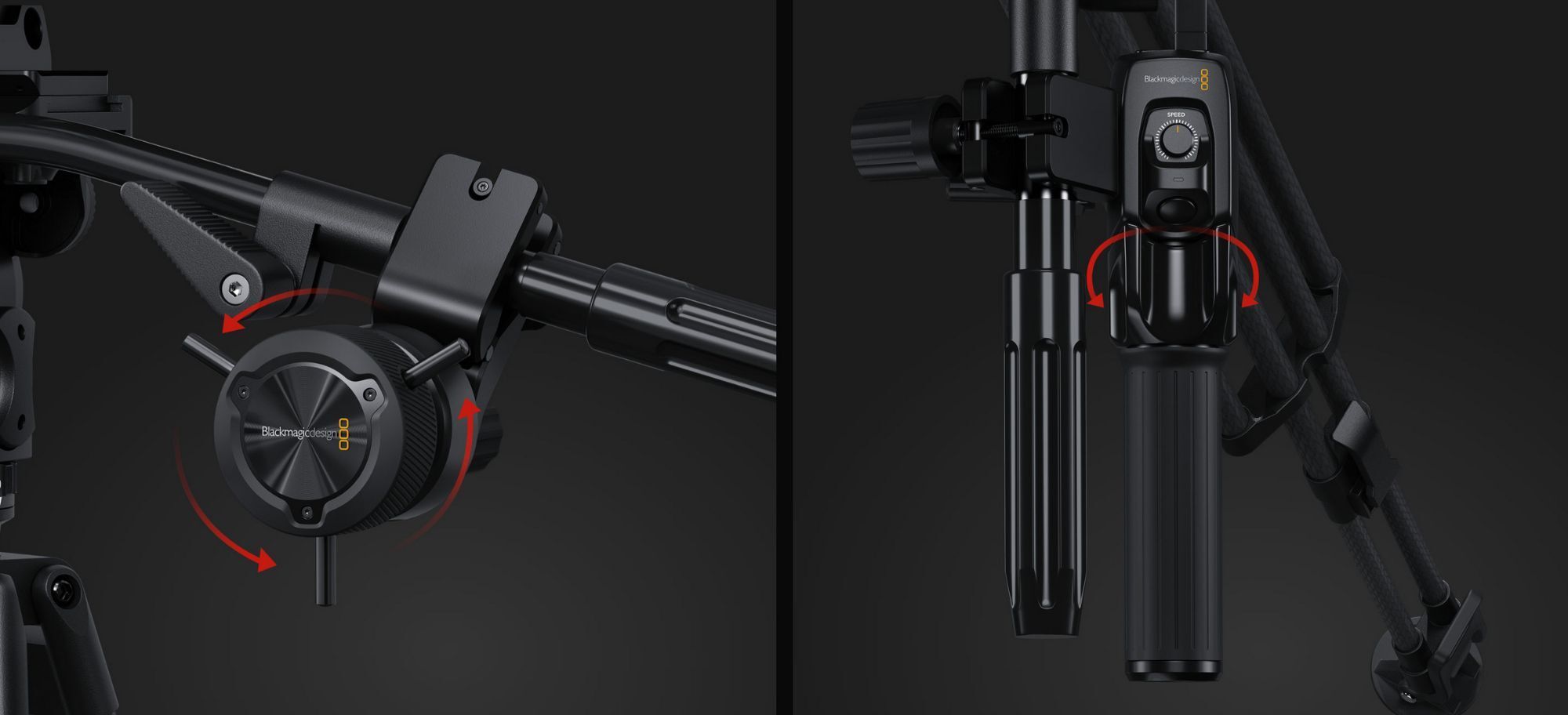 Blackmagic Zoom Demand and Focus Demand Using Zoom Demand and Focus DemandWith the help of the optional Zoom Demand and Focus Demand controllers, the iPhone&s lenses can now be controlled in a professional, broadcast style. Both are connected via USB-C to the Blackmagic Camera ProDock and allow for lens control with high manual precision. The configurable buttons can be assigned to various camera functions. The hardware for attaching the Focus and Zoom Demands to tripod arms is included. New features in Blackmagic Camera 3.3 (iOS)- Camera control with companion app for Apple Watch. - Support for HDMI output in full-screen portrait mode. - Support for ProRes RAW stabilization in iOS 18.1 and higher. - Support for ATEM camera control with Blackmagic Camera ProDock. - Support for Blackmagic Focus and Zoom controls. - The front camera now supports portrait and landscape orientation without rotation for the iPhone 16. - Fixed a potential issue when recording ProRes RAW with the front lens. - Fixed preview latency when using Blackmagic Camera ProDock as an audio source. - Fixed an issue where Open Gate H.264 and H.265 used incorrect bitrates. - General performance and stability improvements. In addition to the Camera app, Blackmagic has also released the new Blackmagic Camera Setup 10.0.2, which gives the Camera ProDock the ability to use Blackmagic Zoom and Focus Demands for remote control of the iPhone.  more infos at bei apps.apple.com more infos at bei apps.apple.comdeutsche Version dieser Seite: Blackmagic Camera 3.3 macht iPhone zur Studiokamera - plus Steuerung per Apple Watch |
 |
|
|